TL;DR
Upgrading from text-embedding-ada-002 to text-embedding-3-small seems straightforward: better benchmarks, lower cost, same API. But if you update your query embeddings without re-embedding your documents, your RAG pipeline will silently break. No errors, no alerts, just wrong answers. This article explains why, and how to migrate safely.
OpenAI is deprecating text-embedding-ada-002. The migration path looks simple: swap in text-embedding-3-small, which scores better on MTEB benchmarks and costs less per token. Most teams will update their embedding call, run a few test queries, see reasonable-looking results, and ship it.
Then the bug reports start. “Search feels off.” “The chatbot used to answer this correctly.” “Why is it returning documents about California real estate when I asked about California employment law?”
The problem isn't the new model. It's that you're now comparing vectors from two different semantic spaces. And this failure mode is invisible to standard observability tools.
The Cost of Getting This Wrong
Let's do the math on what a botched embedding migration actually costs:
For a corpus of 1 million documents at ~500 tokens each, re-embedding withtext-embedding-3-small costs roughly $10 in API fees. That's not the expensive part. The expensive part is the engineering time spent debugging why retrieval quality tanked, the customer trust lost while answers are wrong, and the re-indexing pipeline you have to build under pressure.
The most expensive bugs are the ones that don't throw errors. Your logs will show 200 OK on every request. Latency will be normal. The system will be working perfectly—except the answers will be wrong.
The Hidden Trap: Semantic Space Incompatibility
Here's what most teams miss when upgrading embedding models:vectors from different models cannot be compared with cosine similarity.
When you embed text, the model maps it to a point in high-dimensional space. The “meaning” of that point is defined entirely by the model's training. Two models trained on different data, with different architectures, or even the same architecture with different random seeds, will place the same text in completely different locations.
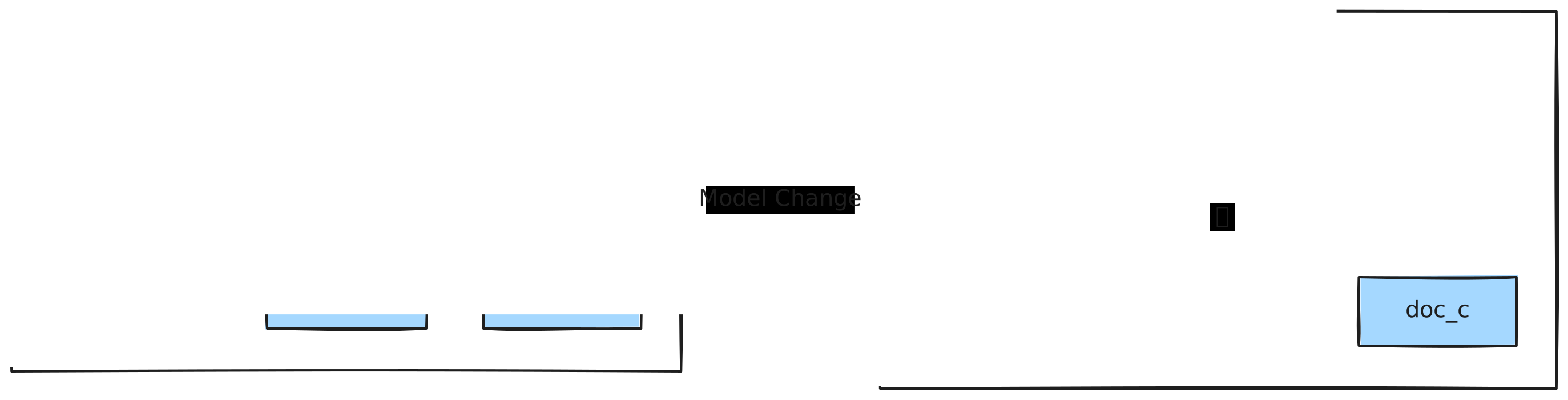
This is the core problem: if you update the embedding model for queries but your vector database still contains documents embedded with the old model, every search is comparing apples to oranges.
Think of it like GPS coordinates. If I give you coordinates in WGS84 and you plot them on a map using NAD27, you'll end up in the wrong place. The numbers look valid. The math works. But the reference frame is wrong.
Why Eval Suites Don't Catch It
Most evaluation pipelines re-embed both queries and documents with the new model before running retrieval tests. That's the right way to benchmark a model. It's also completely different from what happens in production, where your document embeddings are already stored.
The eval shows better precision because it's comparing 3-small queries against 3-small documents. Production would be comparing 3-small queries against ada-002 documents.
| Environment | Query Model | Document Model | Result |
|---|---|---|---|
| Eval suite | 3-small | 3-small | +3% precision |
| Production | 3-small | ada-002 | Broken retrieval |
The Observability Gap
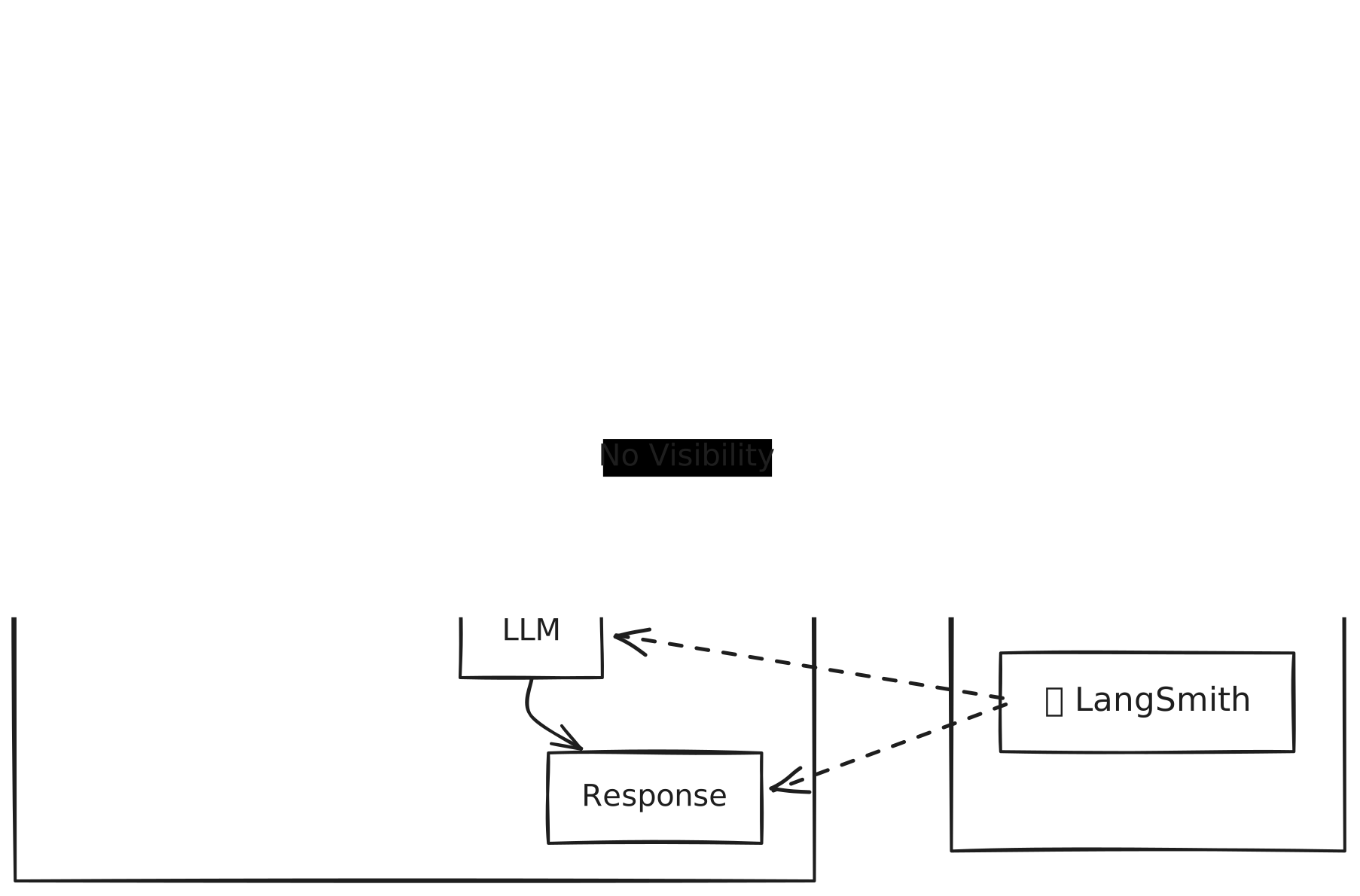
Standard observability tools—Datadog for infrastructure, LangSmith for LLM traces, custom dashboards for retrieval latency—won't catch this failure mode.
What Standard Tools See
- Latency: Normal. Vector search is still fast.
- Error rates: Zero. Every query returns results.
- Token usage: Slightly lower (3-small is cheaper).
- LLM traces: Show retrieved chunks, but can't tell you if they're the right chunks.
LangSmith will show you the retrieved documents for each query. But without ground truth labels, you can't tell that the retrieved docs are wrong. The system confidently returns irrelevant results.
What You Actually Need
The failure mode here is semantic drift: the relationship between queries and documents changes, but the system keeps running. To catch this, you need observability at the vector layer:
- Embedding provenance: Which model version produced each vector?
- Consistency checks: Are all vectors in the index from the same model?
- Retrieval stability: Do the same queries return the same top-k results over time?
- Version diffing: What changed between the last known-good state and now?
How to Detect the Problem
If you've already deployed a model change and suspect something is wrong, here's how to diagnose it.
Symptom 1: Lower Cosine Similarity Scores
Check your retrieval logs. If cosine similarity scores dropped from 0.85+ to around 0.65, that's a strong signal. Vectors from different models produce lower similarity scores even for semantically related content.
Symptom 2: Semantically Adjacent but Wrong Results
Pull a sample of queries and manually inspect the top-5 results. If a query about “California employment law” returns documents about “California real estate law,” you're seeing cross-model comparison artifacts. The results are close in embedding space but wrong in meaning.
Symptom 3: Model Version Mismatch
Check what model your query path is using vs. what model produced your stored documents. If they don't match, that's your root cause.
The fix is obvious: re-embed all documents with the new model. But for large corpora, that's a multi-hour job. If you need to restore service now, you need a rollback strategy.
The Rollback Strategy
If you version your embeddings, recovery is fast. Instead of re-embedding your entire corpus, you deploy a previous version that matches your (reverted) query model.
With Decompressed, every upload creates a new version, and old versions stick around. Rolling back is one command:
# Roll back to a previous version$ dcp sync push my-dataset pinecone-prod --version 7 --mode full⠋ Starting full sync to v7...⠋ Processing block 1/24...⠋ Processing block 24/24...✓ Full sync complete. 847,000 vectors pushed.
Version 7 contains documents embedded with the old model. Revert your query embedding code to the old model, and service is restored in under a minute.
Why This Works
The key insight is that your vector index is not a static artifact. It's a versioned dataset that changes over time. If you treat it like a cache that can be rebuilt from source, you lose the ability to roll back quickly.
Decompressed stores embeddings as immutable, versioned blocks. When you sync an old version to Pinecone, you're not rebuilding from scratch. You're deploying a known state that already exists.
Version your embeddings, detect drift automatically, and roll back in seconds. Start free with 5GB storage.
The Safe Migration Path
Here's the playbook for migrating embedding models without breaking production.
Step 1: Re-embed to a New Version
Don't update in place. Re-embed your corpus with the new model locally, then upload as a new version. This preserves the old version for rollback.
# Re-embed locally with new model$ python reembed_corpus.py --model text-embedding-3-small --output ./v9_embeddings.npy# Upload as new version (appends create new versions)$ dcp data push ./v9_embeddings.npy legal-docs -m "Re-embedded with 3-small"✓ Appended to legal-docsVersion: v9
Step 2: Validate Before Deploying
Run your eval suite against the stored embeddings, not freshly generated ones. This catches the exact failure mode described above. Pull vectors from both versions and run your retrieval benchmarks locally:
# Download both versions for local evaluation$ dcp data pull legal-docs ./eval/v7 --version 7$ dcp data pull legal-docs ./eval/v9 --version 9# Run your eval suite against each version$ python eval_retrieval.py --index ./eval/v7 --queries eval_set.jsonlprecision@10 = 0.847$ python eval_retrieval.py --index ./eval/v9 --queries eval_set.jsonlprecision@10 = 0.872
Step 3: Deploy with Incremental Sync
Push the new version to your vector database. Decompressed computes the diff and only syncs what changed.
$ dcp sync push legal-docs pinecone-prod --version 9⠋ Computing diff v7 → v9...+0 added, -0 deleted, ~847,000 updated, =0 unchangedPushing 847,000 changes...✓ Sync complete.
Step 4: Update Query Path
Only after the document embeddings are updated, switch the query embedding model. This ensures queries and documents are always in the same semantic space.
The order matters. Documents first, then queries. If you update queries first, you get exactly the failure mode described above.
Building RAG Observability That Actually Works
Standard APM tools aren't designed for this failure mode. Here's what you should add to your stack.
1. Embedding Provenance Tracking
Every vector should carry metadata about how it was created:
- Model version:
text-embedding-3-small - Embedding timestamp: When the vector was generated
- Pipeline hash: Hash of preprocessing config
Before any sync, verify that all vectors in the dataset share the same provenance. Mixed-model datasets should be rejected.
2. Retrieval Stability Monitoring
Run a set of “canary queries” on a schedule. These are queries with known-good results. If the top-5 overlap drops below 80%, that's an alert.
3. Cosine Score Distribution Tracking
Log the distribution of cosine similarity scores for production queries. A sudden shift in the distribution (mean dropping, variance increasing) is an early warning sign of embedding drift.
4. Version Diffing Before Sync
Decompressed shows exactly what changed between versions before you push to production:
$ dcp sync push legal-docs pinecone-prod⠋ Computing diff v7 → v9...+0 added, -0 deleted, ~847,000 updated, =0 unchanged⚠ All vectors marked as updated.This usually means the embedding model changed.Proceed? [y/N]
That warning stops you from deploying a broken state.
The Embedding Migration Checklist
Before any embedding model change, run through this:
The frustrating thing about this failure mode is that it's entirely preventable. Everyone knows, intellectually, that embedding models produce incompatible vector spaces. The problem is that most teams don't have tooling to enforce that knowledge in their deployment process.
The fix isn't more monitoring dashboards or better LLM traces. It's treating your vector data as a first-class versioned artifact, with the same rollback and diffing capabilities you expect from code deployments.
If you're running RAG in production, the question isn't whether you'll hit this failure mode. It's whether you'll be able to recover in 30 seconds or spend days debugging.